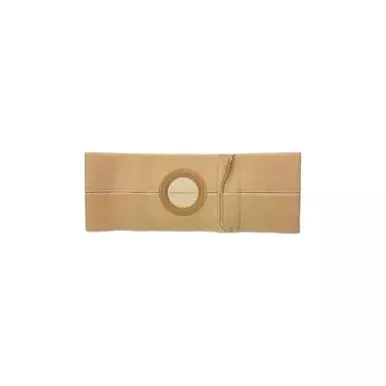
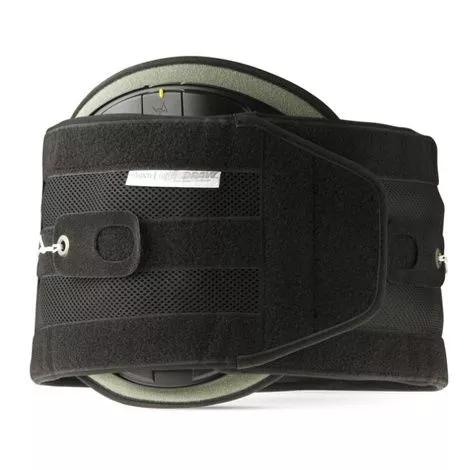
QuikDraw Back Brace Freatures
- Targeted Independent Tightening Mechanism: Aspen’s patented 4:1 mechanically advantaged SlickTrack tightening system independently tightens top and bottom allowing patients to localize compression where they need it to support fatigued muscles that spasm.
- Therapeutic Support: Padded Rigid Anterior Panel (RAP) adds structural support while maintaining a comfortable fit.
- Versatile Back Pocket: A back pocket allows the use of a customizable rigid panel with a cushioning pad for better support or an optional cold therapy pack.
- Tapered Ends: Comfortably contours to larger abdomens and wider hips for a tailored fit.
- Reliable Structural Integrity: Tri-band technology system and integrated vertical stays provide stability and maintain structural integrity to help ensure effective compression and flexibility.
Aspen QuikDraw RAP Back Brace User Manual
QuickDraw Brace Instructions to use
What to buy with Aspen QuikDraw RAP Back Brace
- Fabrication Point Relief ColdSpot Topical Analgesics
- BodySport Lumbar Support Back Cushion
- Cardinal Health Jack Frost Insulated Hot And Cold Gel Packs
How to use QuikDraw RAP Back Brace?
Placement
- Apply the fully stretched brace making sure the back panel is centered and low on the back.
- Overlap the tapered ends of the brace so the hook Velcro grips the opposite side as tightly as possible. Ends may be angled to accommodate for different anatomies.
Tighten and Adjust
- Slip each thumb into the FormFit pull tabs. Extend the tabs out and away from the brace. The left drawstring controls the compression on the lower portion of the brace, while the right drawstring controls the compression on the upper portion of the brace. Pull tabs do not have to be pulled equally, but should extend to patients preference.
- When desired compression is achieved, touch the hook side of the pull tabs down onto the loop Velcro to secure.
Rigid Anterior Panel
- Flex the Rigid Anterior Panel (RAP) so that the center coverplate snaps off. Remove coverplate and foam pad.
- Locate the 1.5″ loop strap on the inside of the left side of the QuickDraw PRO.
- Hold the RAP as shown and feed the edge of the loop strap through the H-shape slot in the center of the RAP. Pull the strap through the slot.
- Replace the plastic coverplate into the center of the panel.
- RAP panel should be slid to midline on patient
Extension Panel
- Position the hook Velcro end of the QuikDraw PRO so the entire hook Velcro portion grips the square end of the extension panel.
- Position the brace so the pad in the back panel is centered over your spine.
- Fit and secure as instructed in Tighten and Adjust section above.